Tutorial 2 of 5
One dataset, many analyses
Beginner 8 min
Paste a table once, link its columns to statistics, matrix and graph cells, and let Proofline tell you which results are out of date when the data changes.
Typing the same numbers into several calculators is slow and error-prone. In Proofline a table lives once, in the Data view, and cells read from it.
1. Create a dataset
Open Data and click Paste or import a table. Paste this CSV (or choose a .csv file):
Variant A (s),Variant B (s)
2.31,2.18
2.45,2.24
2.12,2.05
2.67,2.41
2.38,2.20
The preview shows the columns Proofline detected. Keep The first row holds the column names ticked and press Create dataset.
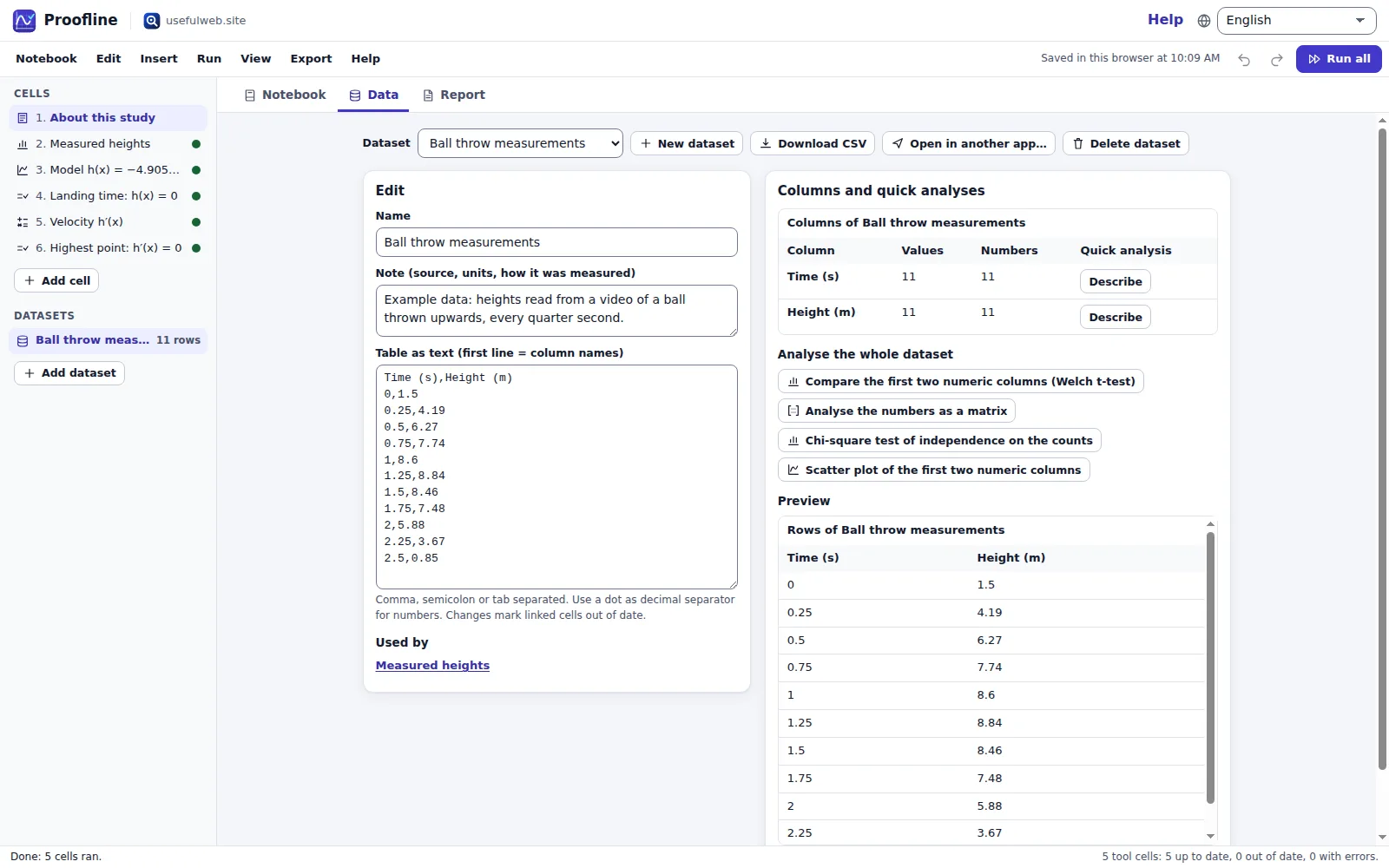
2. Quick analyses
The panel Columns and quick analyses lists every column with the number of values and how many of them are numbers. Use:
- Describe next to a numeric column — adds a Statistics cell linked to that column.
- Compare the first two numeric columns (Welch t-test) — adds a two-sample t-test that reads both columns.
- Analyse the numbers as a matrix, Chi-square test of independence on the counts or Use as an edge list for tables that are matrices, contingency tables or graphs.
3. Link any field yourself
Fields that accept lists or tables — a statistics sample, a matrix, an edge list, the equations of a system, a text — have a Use dataset… button. Choose the dataset and a column (or All columns for matrices and edge lists). The field now shows Linked to “…” → “…”. Unlink keeps a copy of the current values in the field.
4. Change the data
Edit a number in Table as text. Every cell that reads the dataset now shows Out of date, in the cell header, as a ring in the outline and in the report. Run → Run out-of-date cells recalculates only those cells.
If you rename a linked column, the cell tells you that the column no longer exists — link it again.
Tips
- Use a dot as the decimal separator:
2.31, not2,31. - Download CSV and Open in another app… hand the table to spreadsheets or other premium apps.
- Datasets are part of the notebook file and of share links.
Ready to try it?